Discover and connect
Review approved network ranges, identify candidate devices and configure the collection method that fits each product and version.
Infrastructure intelligence, by TAGSG
Bring infrastructure monitoring, alerts and audit evidence into one workspace. Investigate the finding, coordinate your team’s response and verify what happens next.
For IT operations, support teams and service providers.
From finding to follow-through
Review approved network ranges, identify candidate devices and configure the collection method that fits each product and version.
Bring available health signals, inventory and logs together. Review findings as they are detected, without waiting for an AI recommendation.
Acknowledge, assign and investigate an alert. Fresh monitoring evidence determines whether the condition has recovered or needs attention again.
Your environment, in view
Arrange monitoring widgets around your team's priorities. Keep alerts prominent, group configured equipment and open administration settings when you need them.
Named accounts and permission profiles help helpdesk staff, engineers and administrators work from the same evidence with the access appropriate to their role.
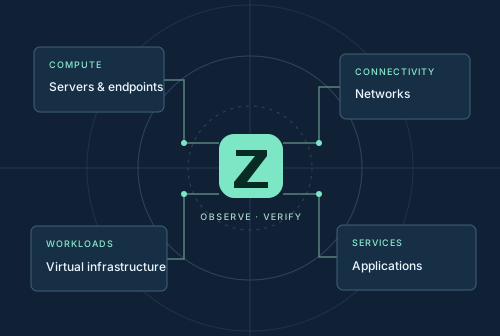
Mixed environments need specific coverage
Review operating-system health, inventory and the logs available to the configured collector.
Connect supported management interfaces for host, virtual-machine and session observations.
Collect supported availability, interface and device-health signals through appropriate management protocols.
Bring hardware identity, reviewed lifecycle baselines and configured application checks into the investigation.
Collection depth varies by device, release, API and permission. We assess the required evidence before making a coverage commitment.
Keep the evidence
Alert actions retain the acting user and timestamp. Hiding a notification does not resolve the underlying condition. AI-assisted recommendations support an engineer's investigation; they do not authorize or execute a repair.
Bring your products, versions and monitoring priorities. Build a collection plan around the evidence your team needs.